Friday, May 1, 2020

Fishy Surprise with Stampers Delights' Facebook Progressive Challenge

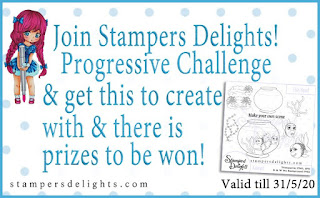
Today, I created a cute fishy card (with an interactive surprise) using digital stamps from the Stampers Delights' Facebook Progressive Challenge. The digital stamps in the Progressive Challenge are free, as long as you join the Stampers Delight's Facebook page and upload a picture of your project to the photo album.

This month's free stamp set includes the fish bowl, two different fish, and several items you can use to build a scene. I combined several images from the free digital stamp package with some other digital stamps: the castle is from the Chibi Pisces Zodiac Kit and the crab is from the Anime Cancer Zodiac Kit.


My card measures 5" x 6.5". I resized the fishbowl to 4" tall and adjusted everything else around that element. The cat is actually a VERY small stamp (about 0.5" tall), and I scanned and enlarged it to 2" x 2.5". The lines got fuzzy, so I had to redraw them (after coloring my image) with my C10 Copic marker. (I spent nearly two hours searching for a comparable digi stamp online and couldn't find anything I liked, so I had to adapt with the stamps I had on hand.)

I colored all images with Copics and used my Scan n Cut to cut out the various images (fishbowl, cat, and crab). Next, I used a fun, interactive die set to create a surprise element on the card... Want to see why the fish look so nervous? Check out the video below!


My Favorite Things provides an instruction video for the Double Slider Loop Slots Set on their website, and I followed those instructions to create my card. I have to admit that I found this mechanism VERY difficult to make, so I don't know if I'll use it again anytime soon. Once I assembled the card, I popped up the crab with foam dots and added some Aquamarine Swarovski crystals for a little sparkle.

Here's the card after you pull the interactive tab:


List of all stamps and dies used on this card:
https://www.facebook.com/groups/stampersdelights/

I hope you enjoyed this project, and I look forward to hearing your thoughts!

Happy Crafting!

Thursday, April 16, 2020

Cowgirl Chibi Val

This week, I created a card featuring the Chibis Val digital stamp from Stampers Delights. This stamp is currently on sale as part of the Thrifty Thursday deals!

This stamp is honestly one of my favorites, because she is just so versatile! Previously, I turned her into the "Sweet Honey Fairy" and the "Galactic Diva." Today, I've turned her into "Cowgirl Val!" When my sister was very young, she was obsessed with cows, so she was my inspiration for this character.


My card measures 4.25" x 5.5", and I resized Val to 4.75" tall. Before I started coloring, I used a pencil to draw cow spots on her jacket and bow, as well as "fringe" on the bottom of her jacket. I colored all images with Copics and used my Scan n Cut to cut out Val and her cactus friends. I used patterned paper for the background and floor. I popped up all of the characters and the sentiment with foam dots and added a few peridot Swarovski crystals for a little sparkle.

Want to see a comparison of all three versions of Chibi Val? I bet you could think of a few more versions, too!


.List of all stamps used on the Cowgirl Chibi Val card:
  • Chibis Val (Stampers Delights)
  • Let's Stick Together stamp set (My Favorite Things)
  • Saddle Up & Celebrate stamp set (My Favorite Things)
I hope you enjoyed this project, and I look forward to hearing your thoughts!

Happy Crafting!

Stampers Delights Say It With Flowers Girl

This week, I created a card featuring the Say It With Flowers Girl digital stamp from Stampers Delights. This stamp is currently on sale as part of the Thrifty Thursday deals!

This little lady is so adorable. With flowers in her arms, you could use her for a dozen different occasions: birthday, anniversary, Mother's Day, thank you, etc. I decided to create a scene based on joy and encouragement, which is especially relevant during these unusual times in 2020.


My card measures 5" x 6.5", and I resized the girl to 4.5" tall. I colored all images with Copics and used my Scan n Cut to cut out the girl and her little doggie friends. I stamped flowers for the background and then built a scene by using a ruler and pencil to draw a sidewalk and a cloud stencil to create clouds (using Copics instead of traditional ink blending). I popped up all of the characters and the sentiment with foam dots.

.List of all stamps used on this card:
  • Say It With Flowers Girl digital stamp (Stampers Delights)
  • New Best Friend stamp set (My Favorite Things)
  • Lucky Dog stamp set (My Favorite Things)
  • Painted Poppies stamp set (Stampin' Up)
  • Better Together stamp set (Altenew)
  • Cloud Stencil (My Favorite Things)
I hope you enjoyed this project, and I look forward to hearing your thoughts!

Happy Crafting!

Thursday, April 9, 2020

Anime Easter Bunny as Alice in Wonderland!

This week, I created a card featuring the Anime Easter Bunny digital stamp from Stampers Delights. This stamp is currently on sale as part of the Thrifty Thursday deals!

When I saw this gorgeous lady with the toadstools, I immediately thought of Alice in Wonderland. Using my most valued tool - my PENCIL! - I added a ton of details: stripes on her tights and top, a chessboard sky, and spots on the largest toadstools. There were so many details in this card that it took me nearly a week to complete it, but I think the final result was worth all of the work!


My card measures 5" x 7", and the digi stamp filled most of that space. (You can make it any size that works for you, as I wanted larger images in order to add a ton of detail.) I colored all images with Copics. I added the Cheshire Cat, a potion bottle and a sentiment from a few Impronte D'Autore stamp sets by coloring them with Copics and fussy cutting them. Finally, I popped up the sentiment with foam dots.

.List of all stamps used on this card:
I hope you enjoyed this project, and I look forward to hearing your thoughts!

Happy Crafting!

Wednesday, April 8, 2020

Chibi Painter Pearl as Modern Rapunzel

This week, I created a card featuring the Chibi Painter Pearl digital stamp from Stampers Delights. This stamp is currently on sale as part of the Thrifty Thursday deals!

When I saw this sweet gal, I thought of one of my favorite fictional painters: Rapunzel from Tangled. I decided to turn Pearl into a modern version of Rapunzel, complete with her painting and chameleon pal (as decoration on her clothing)!


My card measures 5" x 6.5", and I resized Pearl to 4.75" tall. I added Pascal to her smock by finding a free digital coloring page online and shrinking/layering it over the Pearl digi stamp. I created the sentiment in Microsoft Word.

I colored all images with Copics and used my Scan n Cut to cut out Pearl. Then came the really time-consuming part: drawing and coloring the "painting" background! I referenced Rapunzel's painting in the film and sketched everything with pencil before coloring with Copics. I tried to keep the Copic coloring "rough," not smooth (like the character), to resemble a rough, acrylic painting. Coloring all of those little lights took FOREVER!

I added a strip of wood-patterned cardstock for the floor, popped up Pearl and the sentiment with foam dots, and added some aquamarine Swarovski crystals for some sparkle.

List of all stamps used on this card:
I hope you enjoyed this project, and I look forward to hearing your thoughts!

Happy Crafting!

Friday, April 3, 2020

Stampers Delights: Anime Painter Pearl

This week, I created a card featuring the Anime Painter Pearl digital stamp from Stampers Delights. If you prefer physical stamps (and I love to get inky, too!), this stamp is also now available as a clear, photopolymer stamp!

When I saw Pearl, I knew I wanted her to paint something amazing, so I paired the stamp with the Lawn Fawn Magic Color Slider die set to make an interactive card. When you pull the tab at the top of the card, the flower image in the magic color slider changes from black and white to full color!


My card measures 5" x 6", and I resized Pearl to 4.5" tall. (I trimmed the bottom of the image a bit before I mounted it on the card, so she measures 4.25" tall on the finished card.) I colored all images with Copics and used my Scan n Cut to cut out Pearl. I mounted a black cardstock layer on the card base, then the Altenew Diamond layer (stamped and colored, then trimmed to 4.75" x 5.75"), and then used double-sided tape to affix the Magic Color Slider. I popped up Pearl and the sentiment with foam dots. Finally, I glued tiny pearls (since her name is Pearl!) to the dots between the diamonds.

If you're unsure how to assemble the Magic Color Slider, I recommend watching any of Lawn Fawn's YouTube videos, as they walk through the process step-by-step.

Want to see the interactive card in action? Check out the video below!


.List of all stamps and dies used on this card:
    I hope you enjoyed this project, and I look forward to hearing your thoughts!

    Happy Crafting!

    Tuesday, March 31, 2020

    Get Well Card w/ Stampers Delights' Progressive Challenge

    Today, I created a get well card (with an interactive surprise) using digital stamps from the Stampers Delights' Facebook Progressive Challenge. The digital stamps in the Progressive Challenge are free, as long as you join the Stampers Delight's Facebook page and upload a picture of your project to the photo album.

    I always need get well cards, for a variety of reasons. It feels so good to get a handmade card in the mail, especially when you're unwell! I combined several images from the free digital stamp package with a digital stamp from the Stampers Delight's Chibi Get Well set. (This set includes both a boy and a girl, and I chose the girl for my card.)


    My card measures 6" x 6", and I used Microsoft Word to create my own patterned paper (5.5" x 5.5") with one of the free digi stamps (band-aids). I resized Chibi Get Well to 3.25" tall and the pills to 1" tall. The sentiment is 0.4" tall.

    Tip for creating your own patterned paper: Create a new MS Word document. Insert a shape (I chose a rectangle) and right-click on More Layout Options > Size. Set the size of your desired page, and then insert digi images, resize, move, etc. as desired, lining them up within your shape. (Leaving the shape outline also gives you the perfect cutting lines if you want to cut your paper later.) I copied & pasted my band-aid over and over, once I decided on the final size, so all of them would be the same. I love creating patterned paper electronically a lot more than with physical stamps - if you mess up, it's a super quick and easy fix!

    I colored all images with Copics and used my Scan n Cut to cut out Chibi Get Well girl and the pills. Next, I used a fun, interactive die set to create a surprise element on the card... Want to see what the pull tab does? Check out the video below!


    My Favorite Things provides an instruction video for the Twist & Turn Die Set on their website, and I followed those instructions to create my card. It was a little tricky to figure out the spacing, so I could fit everything on the card, but all of the other elements were very easy. Once I assembled the card, I popped up the sentiment and Chibi Get Well girl with foam dots and added some Swarovski crystals for a little sparkle.

    List of all stamps and dies used on this card:
    https://www.facebook.com/groups/stampersdelights/
    I hope you enjoyed this project, and I look forward to hearing your thoughts!

    Happy Crafting!